Field Diagnostics
Expert Reviewed

Water Leak Detection for Commercial Properties (2026)

Written by
SmartHQ Pro Editorial Team
Content Team | SmartHQ Pro, GE Appliances company
12
min read
5 FAQs answered
4-step leak workflow
$11,098 avg. water damage claim

Real-time leak alerting

Free leak monitoring

TL;DR

  • The Hartford's analysis of more than 1 million small-business policies found water and freezing damage accounted for roughly 22% of claims from 2020 to 2024, averaging $34,600 each, and that figure covers direct repair only, not business interruption.
  • SmartHQ™ Leak Detect Sensors identify leaks when water reaches the sensor probes, which is why placement matters more than sensor count.
  • Detection speed determines the size of the loss. Catch water in minutes, and it's a housekeeping task. Catch it in days, and it's a remediation contract.
  • Alert routing determines whether detection triggers an action. An alert reaching an assigned person with a due date closes the loop.
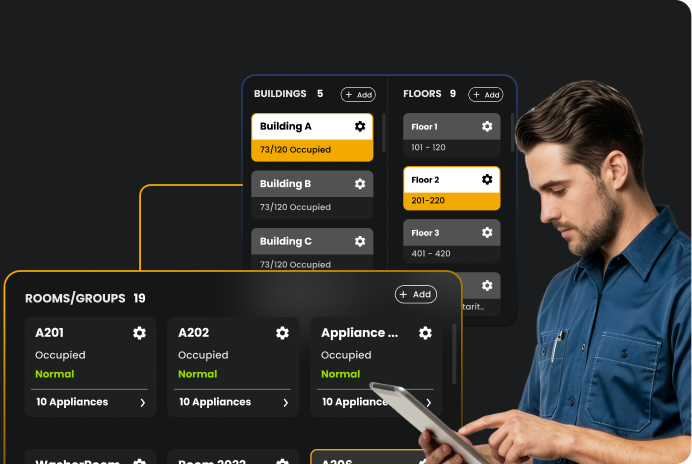
  • SmartHQ™ Management sends real-time leak alerts across every property in an account. Managers can turn alerts into tasks with an owner, priority, due date, and notes. The leak monitoring tier is free on the SmartHQ Management platform.
Water leak detection is a system of sensors and alerting software that identifies water where it shouldn't be and notifies your team before it spreads. In a commercial building, that early warning separates a maintenance ticket from an insurance claim. The Hartford, analyzing more than 1 million small-business property and liability policies, found water and freezing damage averaged $34,600 per claim between 2020 and 2024, roughly double the $15,400 average for homeowners claims over a comparable period, per the Insurance Information Institute.

The problem is that most water damage stays hidden until it's already expensive. For example, a supply line fitting behind a wall or a hose connection under a laundry unit can leak for hours before anyone sees a stain. Leak sensors close that gap because they sit exactly where water first appears.

Across a portfolio, SmartHQ™ Management runs on a repeatable loop:

  • Sensors catch water at the source
  • Alerts route to the right person in real time
  • Each alert becomes an assigned task
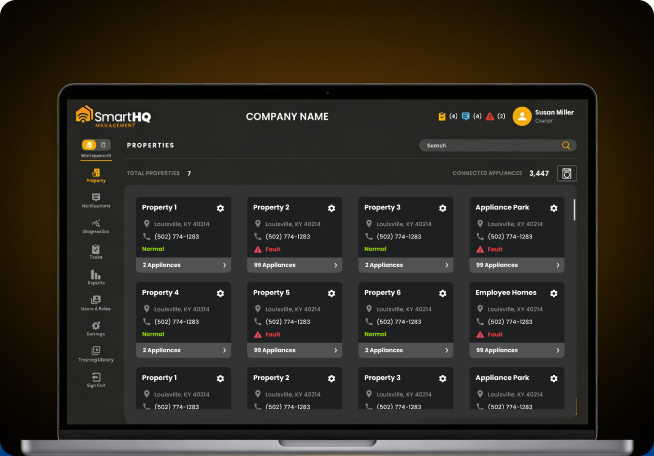
  • Every property stays visible on one dashboard
The result: leaks caught while they're still a cleanup. Plus a record of who handled each one.
Related read:
Improving Tenant Retention: Why Real-Time Appliance Management and Monitoring Is Key to Reducing Tenant Turnover Rate, how catching maintenance issues early keeps tenants renewing instead of leaving.

What Water Damage Costs a Commercial Property

Water damage hits a commercial property on three fronts. First, the insurance claim, then the operational cost of the repair, then the revenue lost while the space sits unusable. The claim is just the part you can see, and filing one can affect renewal terms for years.

Start with the operational side. Once water gets into a commercial building, four things follow:

  • Asset deterioration: Structures, fixtures, and building assets degrade or fail outright once saturated
  • Business disruption: The affected area shuts down while drying and repairs run their course
  • Mold growth: The EPA recommends drying wet materials within 24–48 hours to help prevent mold growth. Once mold appears, air quality testing and remediation join the repair bill.
  • Structural compromise: Sustained exposure weakens framing and the building envelope

Then there’s the revenue side. In an occupied building, lost revenue piles onto the repair bill.

  • Hotels: A leak in a fourth-floor guest bathroom runs down through the third and second floors. Now three rooms are out of inventory instead of one
  • Multifamily: The same event displaces residents and triggers rent concessions during their absence
  • Senior living: Relocation involves care and mobility planning on top of the room logistics

Here’s how a single leak actually adds up:

Take that fourth-floor bathroom leak. Three rooms go offline, not one. Against a U.S. hotel industry average daily rate near $159 for full-year 2025, per STR/CoStar, a one-to-two-week restoration puts lost room revenue alone at roughly $3,300 to $6,700, before a single repair invoice. Upscale and boutique properties, where nightly rates run well above the national average, lose considerably more per room, per day.

That's the small end. A hypothetical case review published by The David Group illustrates the larger version: a sprinkler malfunction damages 20 guest rooms, the lobby, and a conference area, forcing a three-month closure.

In that scenario, physical damage came to $450,000 while lost revenue during the closure reached $600,000. Lost revenue during the closure reached $600,000, according to a case review published by The David Group. The revenue you can’t see outweighs the damage you can.

The repair side of the bill scales with how contaminated the water is and how long the area stays wet. Restoration crews classify water into three categories, and the cost climbs sharply from one to the next:

Scroll the table sideways to see all columns →
Water category Source examples Mitigation cost / sq ft Why it costs more
Category 1: Clean Broken supply line, faucet failure, rainwater ~$3.50 Lowest-risk water; drying and monitoring in most cases
Category 2: Gray Dishwasher discharge, washing machine overflow, toilet overflow ~$5.25 Requires antimicrobial treatment and removal of porous materials
Category 3: Black Sewer backup, rising flood water ~$7.50+ Full PPE, biohazard protocols, extensive material removal

Caption: Water mitigation cost by category, per square foot, based on residential benchmarks published by Angi and HomeAdvisor. Commercial mitigation typically runs higher once scale, occupancy, and after-hours labor are factored in. These figures cover mitigation only, not structural rebuild, and shift with region and how quickly restoration begins.

Key Insight
How bad it gets comes down to timing. Catch the water in minutes and keep it inside one room. Let it run overnight, and it reaches the floor structure and everything below it.

What a Water Leak Detection System Includes

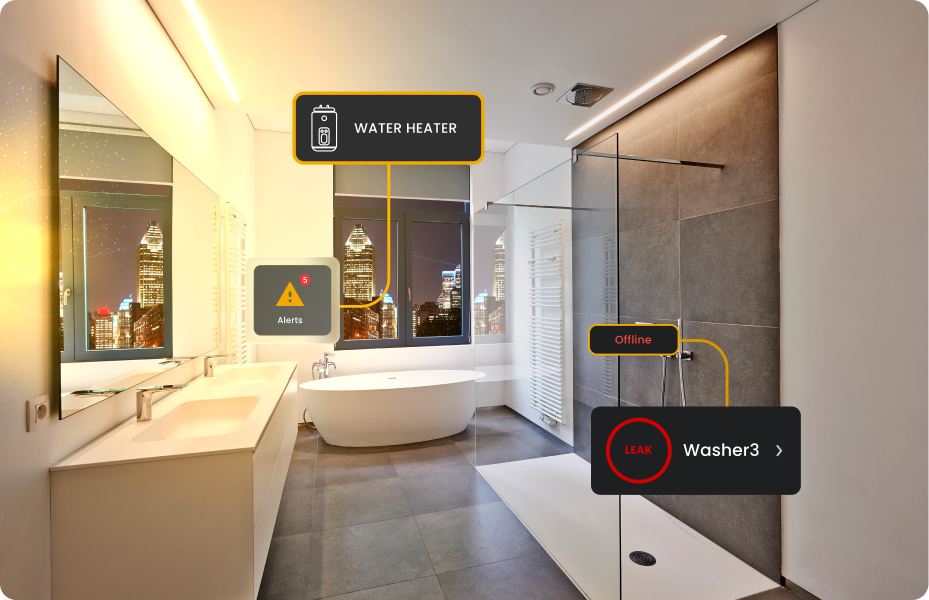
A water leak detection system includes sensors placed where water first appears, a gateway that connects them to the building network, and monitoring software that routes the alert to your team. When a sensor triggers, the alert reaches you in real time via an app, email, or dashboard, depending on how the platform is set up.

Leak detection and leak mitigation are two separate capabilities that vendors frequently sell together:

  • Detection: Sensing and alerting. The system tells you water is present and where it is
  • Mitigation: Physical response, usually an automatic shutoff valve closing the supply line once water appears

A property can run detection or mitigation on its own, or pair them together.

Did You Know?
‘Leak protection’ on a product page can mean detection, mitigation, or both. Before you compare prices, ask two questions: does the hardware sense, shut off, or do both, and what does the software layer add?

How Water Leak Detection Systems Work

Detecting the water is only the first move. A leak that gets sensed but never reaches the right person, or reaches them too late, still floods the floor below. Here’s the full sequence: how point sensors detect a leak, how the alert is routed and assigned, and when hardware shuts off the water automatically.

1. Point sensors

A point sensor is a small, wireless device that triggers when water comes into contact with it. You place them where leaks are most likely to start, which is why placement matters more than sensor count.

Standard placement zones:

  • Under sinks and vanity cabinets
  • Beside water heaters and mechanical equipment
  • At appliance supply connections
  • In basements and below-grade spaces

Each sensor pairs to a gateway, which connects to the monitoring platform over the building network. GE Appliances sells the hardware as SmartHQ™ Leak Detect Kits in two configurations: a single sensor with a gateway, or a three-sensor kit with a gateway, depending on how many risk zones a property needs to cover.

2. Alerting and escalation

A sensor is only as useful as what happens after it triggers. SmartHQ™ Management handles that in two stages:

  • Notification: Each user sets their own preferences, such as email, push, or both, so a facilities lead gets every alert, and a regional manager only sees what needs escalating.
  • Assignment: The manager turns the alert into a task with a named owner, a priority, a due date, and a notes field for anything a guest or resident reported.

That leaves a record of who responded and when, which matters when an insurer or an owner asks.

3. Automatic and remote shutoff

Shutoff hardware automatically closes the water supply when a leak is detected. Two GE Appliances products pair detection with shutoff:

  • GE Profile™ GEOSPRING™ Smart Hybrid Heat Pump Water Heater: Ships with wireless leak detection and automatic water shutoff built in. The included sensor triggers the shutoff, and alerts reach you through the app.
  • GE Profile Smart Valves: Sits at the point of entry and adds leak detection with remote water shutoff for the whole supply line, managed from the app (models PXWH70Y and PXWH80Y).

**Both are purchased separately and are not included in the SmartHQ™ Leak Detect Kit.

Scroll the table sideways to see all columns →
Hardware What it does Where it goes Best suited to
Point sensor Detects a leak when water reaches the sensor probes Under sinks, beside water heaters, at appliance connections, in basements Known risk zones with a defined footprint
Appliance-integrated sensing Reports water at the appliance, through the appliance itself Water heaters and connected water products Properties standardizing on connected equipment
Automatic shutoff valve Closes the supply line when a leak is detected Supply line at the appliance or building entry Sites where response time exceeds leak speed
Section Takeaway
No single method covers everything. Point sensors detect known risk zones, while flow monitoring detects what’s hidden in the walls. The strongest setups pair them.

Where Leaks Start in Commercial Buildings

You can’t place a sensor to catch a leak you didn’t see coming. In commercial buildings, most leaks trace back to one of three areas: the plumbing, the foundation, or an appliance connection. Each fails differently, so each needs the sensor in a different spot.

Plumbing issues:

  • Supply line fittings, valves, and joints sit inside walls and above ceilings, which delays discovery until water reaches a visible surface.
  • Bathrooms and mechanical rooms carry the most risk. They pack the highest number of fittings into the smallest space.

Foundations and subterranean spaces:

  • Slab cracks and below-grade walls let groundwater and stormwater in.
  • Basements and parking levels flood from the outside in, so sensors go at floor level along exterior walls, not beside equipment.

Appliance connections:

  • Laundry equipment, dishwashers, ice makers, and water heaters each carry a hose or fitting that can fail without warning.
  • HVAC condensate pans belong on this list, too. One blocked drain sends water straight into the ceiling below.
Confirm reliable 2.4 GHz connectivity across the planned installation, including the gateway and sensor locations. Basements and mechanical rooms are common weak-signal areas, so test coverage before deployment.
Related read:
Prevent Plumbing Panic: How Smart™ Leak Detection Can Save You Stress, Time, and Money, a closer look at how leak sensors catch plumbing failures before they spread

What to Look for in a Leak Detection System

While leak detection systems can detect water, what sets them apart is what happens next. Seven things to check before you buy: alert routing, task assignment, portfolio visibility, network requirements, cost structure, integration, and update path.

  • Alert routing: Alerts should reach named people on channels they actually check. Per-user settings keep a night engineer and a portfolio director from getting the same volume.
  • Task assignment: An alert is only useful once it becomes a task with an owner and a deadline. Systems that stop at the notification leave the follow-up to memory and group chat.
  • Portfolio visibility: If you run multiple properties, ask one question: Does every building appear on a single dashboard, or does each site need its own login?
  • Network requirements: Qualify your network before you buy. The sensors are only as reliable as the Wi-Fi behind them.
  • Cost structure: Separate hardware cost from monitoring cost. A per-sensor monthly fee looks small on a quote and scales badly across hundreds of placement points.
  • Integration: Check whether the platform can pass alerts into the tools your team already uses for work orders and reporting.
  • Update path: Over-the-air firmware updates keep sensors and gateways current while the hardware stays in place.
Reliable 2.4 GHz Wi-Fi with a strong signal at every appliance location
Standard WPA or WPA2 security (WPA3 and enterprise-only networks aren’t supported yet)
Roughly 30 MB of data per appliance per month, a light load for most commercial networks
A specialist can walk your IT team through the full checklist before deployment.
Featured — SmartHQ™ Service Diagnostic Platform
SmartHQ™ Service: A Connected Workflow for Faster, Verified Repairs
SmartHQ™ Service links technicians directly to compatible laundry equipment via a Bluetooth module and mobile app — giving you fault codes, live component tests, documentation, and parts ordering in one place.
The four-step process:
Connect the Bluetooth module via the supplied RJ-45 cable and pull active/inactive fault codes plus cloud-based cycle history.
Trigger individual components — motor, drain pump, heater, door lock — and watch live amperage, temperature, and speed readings to confirm a failure.
Pull service manuals, wiring diagrams, and bulletins from the app to confirm the diagnosis before touching a tool.
Check for a firmware fix first; if a part is needed, OneParts auto-passes the model number for exploded diagrams and correct-part ordering.
SmartHQ Pro states the platform is engineered to cut diagnostic time by 80–90% and support a 95% first-time fix rate, with parts ordered directly through the app via a connected distributor.
$11,098
avg. water damage claim
Real-time
leak alerting
Not sure how SmartHQ™ Service fits your fleet?
Talk to a SmartHQ Pro specialist about rolling it out across your technicians — no pressure, just a walkthrough.
Talk to a Specialist

Leak Detection Across Property Types

Leak detection protects something different in each property type: room inventory in hotels, lease renewals in multifamily, resident stability in senior living, and unstaffed weeks in student housing. The mechanics don’t change, but the cost of an uncontained leak does.

  • Hotels and extended stay: A contained leak keeps rooms in inventory and guests in the rooms they booked. Avoid relocating or walking guests, comp nights, and bad reviews.
  • Multifamily: A leak in one unit counts as a maintenance ticket. A leak that spreads to the unit below means two disrupted households. That shows up at renewal.
  • Senior living: Moving a resident means care plans and mobility logistics beyond an empty room, which raises the value of catching a leak while it stays inside one space.
  • Student housing: Seasonal vacancy leaves buildings lightly staffed for weeks at a time, and remote alerting covers the period when nobody walks the corridors daily.

Restoration contractors, who have no stake in which detection hardware a property buys, land on the same recommendation. Palm Build Restoration lists smart leak sensors at toilets, dishwashers, washers, and water heaters as the single highest-leverage prevention step available inside an individual unit.

Related read:
Data-Driven Decisions: Making Smart Choices for Your Property, using appliance data to plan maintenance and budget for replacements before they turn into emergencies

How SmartHQ™ Management Handles Leak Detection

SmartHQ™ Management works with GE Appliances leak sensors to deliver real-time leak alerts, portfolio visibility, and task management.

The leak workflow runs in four steps:

  • Pair: Gateways pair to a SmartHQ™ Management account through the mobile app.
  • Detect: Water reaches the sensor probes, triggering a leak event.
  • Notify: The alert goes out by email, push, or both, based on each user’s settings.
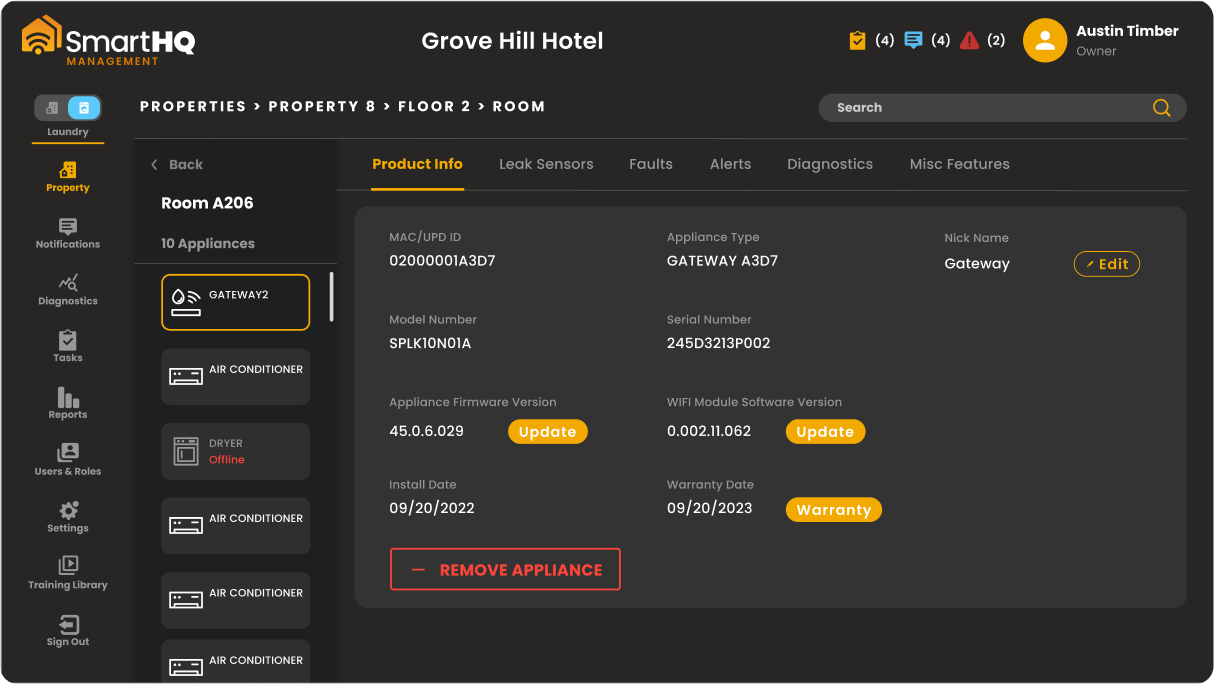
  • Assign: The manager turns the alert into a task, tagged to property, building, floor, and room, with an owner, a priority, and a due date.

Commercial terms:

  • Leak monitoring: Free. Pair as many sensors and gateways to an account as the property needs.
  • Hardware: The only cost for leak protection
  • Leak Tier: Properties can also register for leak monitoring alone, without an appliance subscription.
  • Appliance monitoring subscription: Each pack covers 25 units or rooms, and each unit can commission up to 10 appliances or gateways.

Deployment starts with a quick network check, an app-based setup, and a mobile device on-site for commissioning. A specialist can walk your team through the details.

Staying Ahead of Water Damage

Water damage follows a predictable pattern. The failure points are known, the warning signs are measurable when they appear, and sensor hardware costs a fraction of a single claim.

The only open question is response time:

  • Three minutes: A wet floor and a work order
  • Three days: Demolition, drying equipment, displaced occupants, and a claim file

SmartHQ™ Management covers both halves of that sequence: the alert and the assignment.

What to do next?
See it across your portfolio:
Book a walkthrough of leak alerting and task assignment on your own property structure
Request a Demo
Check your building first:
Run the IT qualification checklist to confirm your network supports sensor deployment.
View SmartHQ™ Management
Talk through placement:
Ask a specialist where sensors belong in your building type and how many packs your door count requires
Talk to a Specialist

Frequently Asked Questions

Sensors placed at risk points detect water on contact, while flow monitoring watches the supply line draw. When either one triggers, the system sends a real-time alert by app, email, or dashboard, so your team responds before water spreads.
Cost splits between hardware and monitoring, and some vendors add a recurring per-sensor monitoring fee that scales with every placement point. Leak monitoring tier through SmartHQ™ Management is free,
Position sensors under sinks, beside water heaters, at appliance supply connections, and in basements. In hospitality and multifamily buildings, prioritize upper-floor bathrooms, as leaks there can travel down through multiple occupied units.
Some systems pair detection with a shutoff valve, either at a single appliance or at the building’s point of entry. The GE Profile™ GEOSPRING™ water heater ships with built-in wireless leak detection and automatic shutoff, and the GE Profile™ Smart Water Valve adds remote shutoff for the entire supply line.
A leak sensor is the device placed at a potential leak location. A connected leak-detection system combines one or more sensors with a gateway, software, and remote notifications. Even the single-sensor SmartHQ™ Leak Detect Kit includes a gateway.
SmartHQ Pro Editorial Team

SmartHQ Pro Editorial Team

Content Team | SmartHQ Pro, GE Appliances company

SmartHQ Pro writes for property managers, service technicians, and RevOps teams working with connected appliance technology. Guides like this one draw on SmartHQ™ Service's field data and direct input from GE Appliances' service engineering team.

SmartHQ Pro dashboard shown on a laptop

Still troubleshooting laundry equipment by trial and error?

  • Real-time fault codes read straight from the appliance
  • Isolated component testing without a full teardown

$11,098

avg. water damage claim

Real-time

leak alerting

Request a Demo