.png)
Best Property Management Software in 2026


TL;DR
- Property management covers nine operational jobs. No single platform on this list covers all of them, which is why a stack exists.
- Your core system of record owns leasing, rent collection, and accounting. Options range from a flat $62 per month to quote-based enterprise contracts.
- Maintenance splits into two jobs that need different systems: coordinating the work order, and knowing what the equipment is doing before anyone files one.
- SmartHQ™ Management owns appliances and equipment conditions, turning fault codes and leak alerts into assigned tasks for every connected unit in the portfolio.
- Price the stack across three years. Per-unit fees compound as a portfolio grows, and monthly minimums change the effective rate below the crossover point
A property team runs nine operational jobs every month. No single platform covers all nine, so property managers end up running a stack rather than a system.
That range is wide, but the work underneath it is not. A property manager running several hundred doors handles lease renewals, rent posting, owner statements, vendor dispatch, unit turns, and equipment failures from a single seat. The stack determines how much arrives as a structured alert and how much arrives as a surprise phone call.
This guide details 10 property management systems a team needs, ordered by the job each one handles. See which tool can reduce your workload instead of duplicating it.
The Nine Jobs Property Management Software Has to Cover
Property management software is often discussed as a single category, but the work splits into distinct jobs, each with its own system.
- Leasing and tenant records: Applications, screening, lease documents, renewals, and move-in and move-out records
- Rent collection and accounting: Payment processing, trust accounting, bank reconciliation, owner statements, and 1099 preparation
- Owner and investor reporting: Portfolio performance and financials visible to stakeholders on demand
- Work order coordination: Request intake, technician or vendor assignment, scheduling, status tracking, and closeout documentation
- Appliance and equipment condition: Fault codes, leak alerts, firmware currency, and energy draw across connected units
- Preventive maintenance scheduling: Recurring inspections, filter changes, seasonal servicing, and warranty tracking
- Property inspections: Move-in, move-out, and periodic condition records with photo evidence and signatures
- Access control: Key management, smart locks, elevator and common-area entry, and vendor credentials
- Resident communication: Announcements, request channels, and resident portals
A core platform covers four or five of these well. The rest appear in spreadsheets, shared inboxes, and in the institutional knowledge of whoever has worked there longest.
Key Insight: Maintenance is two jobs sharing one name. A work order system records what a resident reported and routes it to a technician. An equipment monitoring system reports what the appliance itself detected, often days before a resident notices anything. Buying one and assuming it covers the other is the most common gap in a property stack
How We Selected These 10 Tools
The list combines platforms that appear in the 2026 property management software rankings with specialist tools that fill the gaps those platforms leave.
Sources used:
- Vendor pricing pages and official product documentation, pulled in August 2026
- Published pricing tiers and monthly minimums, with quote-based tiers identified as such
- Job coverage assessed against the nine operational jobs above
1. Job clarity: Each tool is listed against the single job it owns. Platforms that span several jobs are described by their strongest one, because that is the job a team would buy them to do.
2. Portfolio scale: Unit count ranges vary widely, and monthly minimums matter as much as headline rates. A $ 1-per-unit price on a 20-unit portfolio with a $100 floor works out to $5 per unit.
3. Field usability: Mobile behavior among on-site maintenance technicians and inspectors determines adoption. Which, in turn, determines whether the license fee pays for itself
The Four Tools Doing the Most Work in a 2026 Stack
Four tools cover the four jobs a property team cannot run in a spreadsheet without eventually paying for.
- AppFolio has leases, rent, accounting, and owner reporting sitting in one database. Its Realm-X layer now handles maintenance intake, pulls up work orders, and provides reports on request.
- SmartHQ™ Management watches the equipment. Fault codes, leak alerts, firmware status, and energy draw for every connected GE Appliance in the portfolio are assigned as tasks rather than resident complaints.
- Property Meld moves the work by running intake, scheduling, vendor dispatch, and closeout in one place. The cycle-time metrics show whether maintenance is getting faster.
- HappyCo documents the unit. Move-in, move-out, periodic inspections, and make-ready turns attach photo evidence and signatures, which settles a deposit dispute six months later.
The remaining six either offer a different route to the system of record or cover a specialist job alongside it:
- Buildium for flat monthly pricing instead of per-unit
- Yardi Breeze for accounting depth at a per-unit rate
- DoorLoop for a modern interface without an implementation project
- Entrata for enterprise multifamily running dozens of properties on standardized workflows
- MRI Software for commercial lease complexity and multi-entity reporting
- SmartRent for access control and in-unit smart devices
10 Property Management Tools at a Glance
The six platforms below serve as the core system of record. Four cover specialist jobs that sit alongside the core system of record.
10 property management tools by the operational job each one handles
Ratings and pricing pulled August 2026. Review counts move weekly, so re-check each dashboard before publication.
1. AppFolio: Best for Mid to Large Residential Portfolios
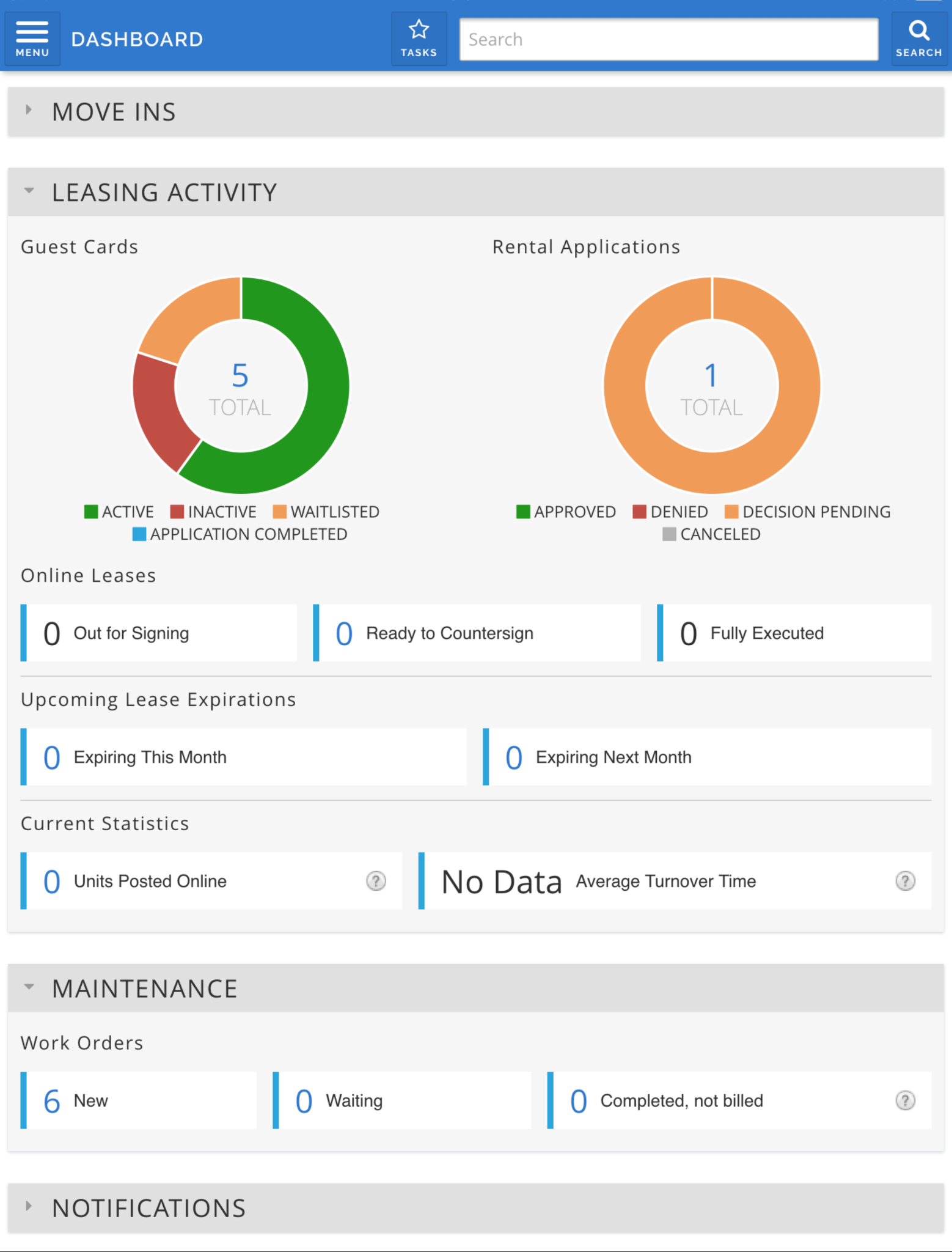
AppFolio keeps leasing, rent, accounting, and owner reporting in a single database. It’s like a system of record: one tenant, one ledger, one place the numbers reconcile. That consolidation helps professionally managed residential portfolios rather than side-project landlords. The published 50-unit minimum in its entry plan makes the intended buyer explicit.
Recent development has focused on an AI layer that sits on top of the same data. It handles maintenance intake and answers questions about work orders and reports. No one is required to build another export.
Where it stops is in the field. AppFolio records that a repair was requested and who it went to. It does not tell you the compressor threw the same fault three times last quarter.
AppFolio’s key features
- Realm-X Maintenance Performer: AppFolio's AI product manages and responds to maintenance requests around the clock
- FolioScreen Trusted Renter: Runs criminal and background checks plus income, identity, and employment verification inside the application flow
- Auto Bank Reconciliation: Links bank accounts through a Plaid integration and matches transactions automatically instead of line by line
- Renewal automation: Sets a default offer that updates lease dates, rent amounts, and status when the current lease expires
- AppFolio Stack Marketplace: Splits partners into app integrations and accounting or consulting firms
AppFolio Pros and Cons
Pricing: Quote-based across Core, Plus, and Max. Core carries a published 50-unit minimum. Plus and Max state that minimum spend and unit requirements apply.
2. SmartHQ™ Management: Best for Appliance Condition and Maintenance Tasks
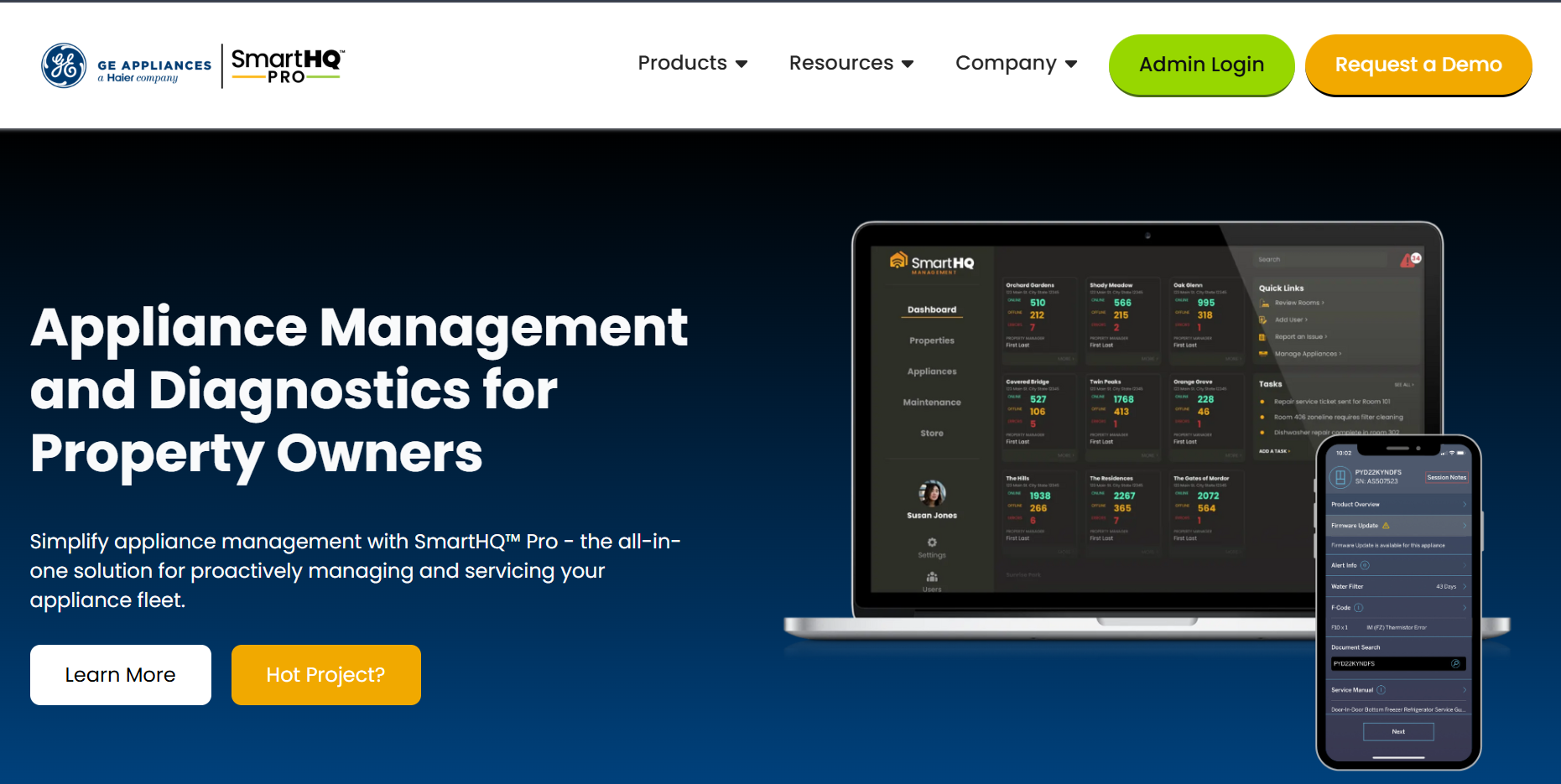
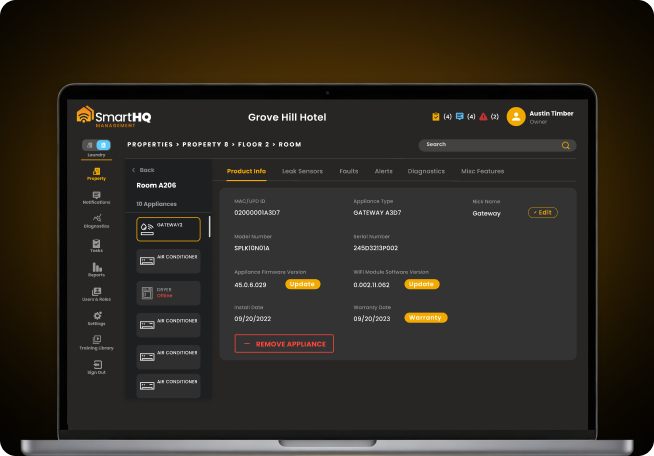
SmartHQ™ Management monitors connected GE Appliances across a portfolio and reports what the equipment is doing before a resident or guest notices anything. Leak sensors, fault codes, firmware status, and energy consumption feed into a single dashboard covering every property in the account.
That changes the sequence of a repair: instead of a call at 6 pm, a fault becomes a task with an owner attached. Meanwhile, a Bodewell integration schedules appliance service straight from the alert.
SmartHQ™ Management serves hotels, extended-stay, student housing, senior living, and multifamily properties, running Wi-Fi-enabled GE Appliances and Zoneline PTAC or VTAC systems.
SmartHQ™ Management’s key features
- Real-time leak detection and alerting: Leak sensor gateways pair to the account and trigger email and push alerts the moment moisture reaches a sensor.
- Advanced Diagnostics: Fault code history across a property or the full account, showing the fault definition, total count, appliance count, and last event date, exportable to a spreadsheet.
- Task creation from alerts: Convert an alert into a task scoped to property, building, floor, and room, with an assigned owner, priority level, and due date.
- Automatic assignment on fault: Task creation from alerts: Convert an alert into a task scoped to property, building, floor, and room, with an assigned owner, priority level, and due date.
- Batch Command: Apply firmware updates, power controls, mode settings, and temperature limits across a fleet in one step.
- Asset and warranty records: Model numbers, serials, nicknames, age, and location for every appliance, with manuals, installation guides, warranty information, and update history, and downloadable appliance lists for replacement and capex planning.
- Energy management controls: Temperature limiting, SmartFan modes, and occupancy-based make-up air adjusted remotely across units.
- Role-based access and notifications: Owners, managers, and technicians see the same portfolio through permissions matched to their job.
- Mobile and desktop access: Full feature set through a browser, with an iOS and Android app required for commissioning.
SmartHQ™ Management Pros and Cons
Pricing: Quoted per deal.
3. Property Meld: Best for Work Order Coordination and Vendor Dispatch
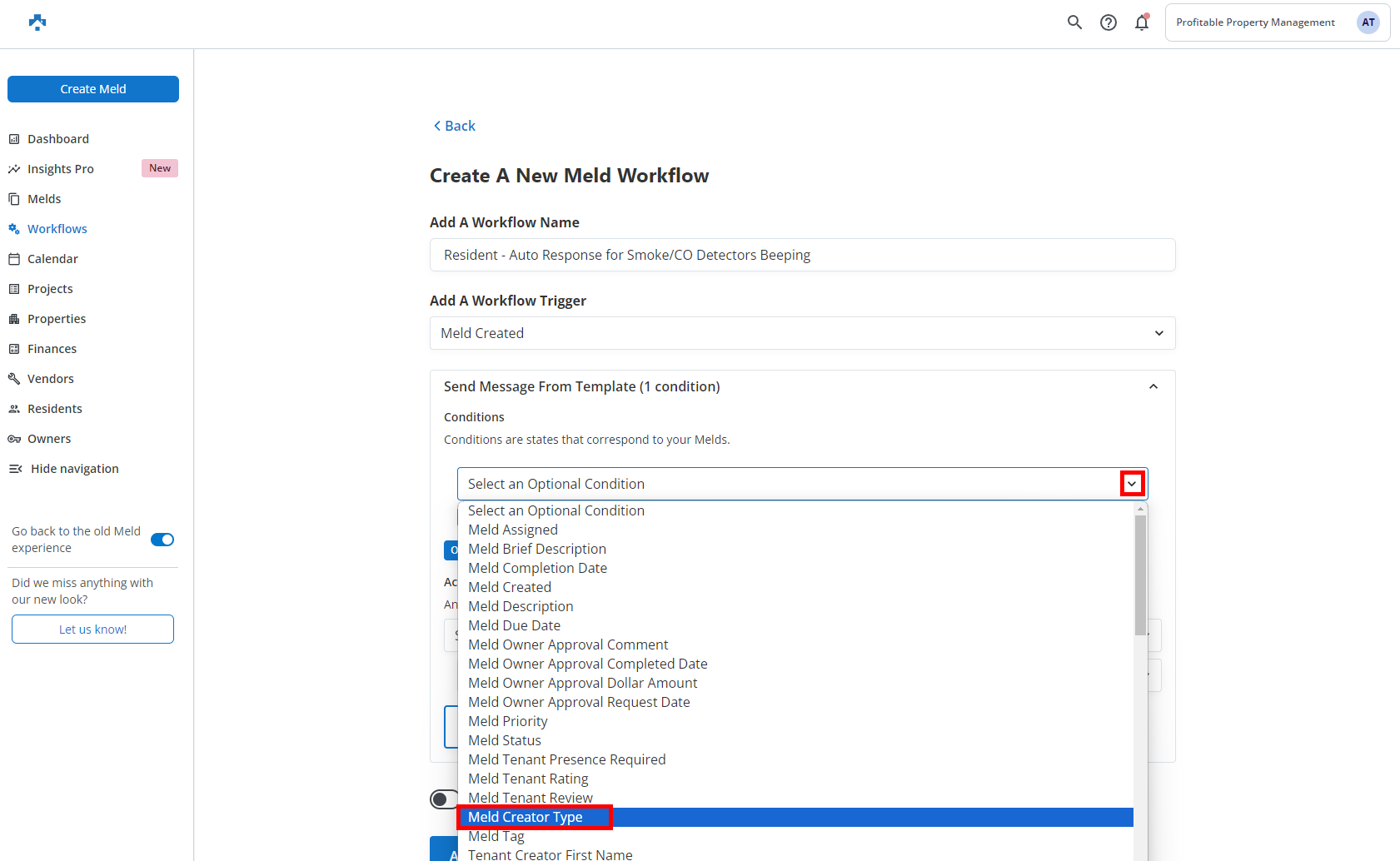
A repair involves four parties, and a core PMS usually tracks only one. Property Meld coordinates all four: the resident who reported the problem, the manager who approved the spend, the technician or vendor doing the work, and the owner paying for it.
It sits alongside a system of record. This is why it shows up in stacks that already run AppFolio or Buildium and still lose hours to scheduling.
The payoff is measurable, not anecdotal. Cycle times, speed to schedule, and technician throughput all surfaces as numbers. So, maintenance stops being the department nobody can report on.
Property Meld’s key features
- Automated scheduling: Work order assignment compressed to a few minutes
- Automated troubleshooting and tenant follow-up: Structured intake that filters resolved issues before dispatch
- Vendor profiles and portals: Vendor records, assignment history, and a dedicated portal on the Premium tier
- Performance analytics: Completion rates, response times, and technician productivity tracked as metrics
- Preventive maintenance planning: Recurring repair configuration for high and low frequency work, inspection scheduling, and the PropertyCare+ program for investor opt-in
- Turns & Renovations: Turnover, rehab, and mitigation work grouped into a tracked project with cost and time rolled up, and a spotlight on what comes next
- MAX On-Call: Add-on that automates after-hours intake, scheduling, and follow-ups so emergency calls do not go to a personal mobile
Property Meld Pros and Cons
Pricing: Core from $1.60 per unit per month. Ops at $2.00 per unit per month. A $160 monthly minimum applies. MAX On-Call is available as a $ 1.50-per-unit add-on.
4. HappyCo: Best for Inspections and Make-Ready Turns
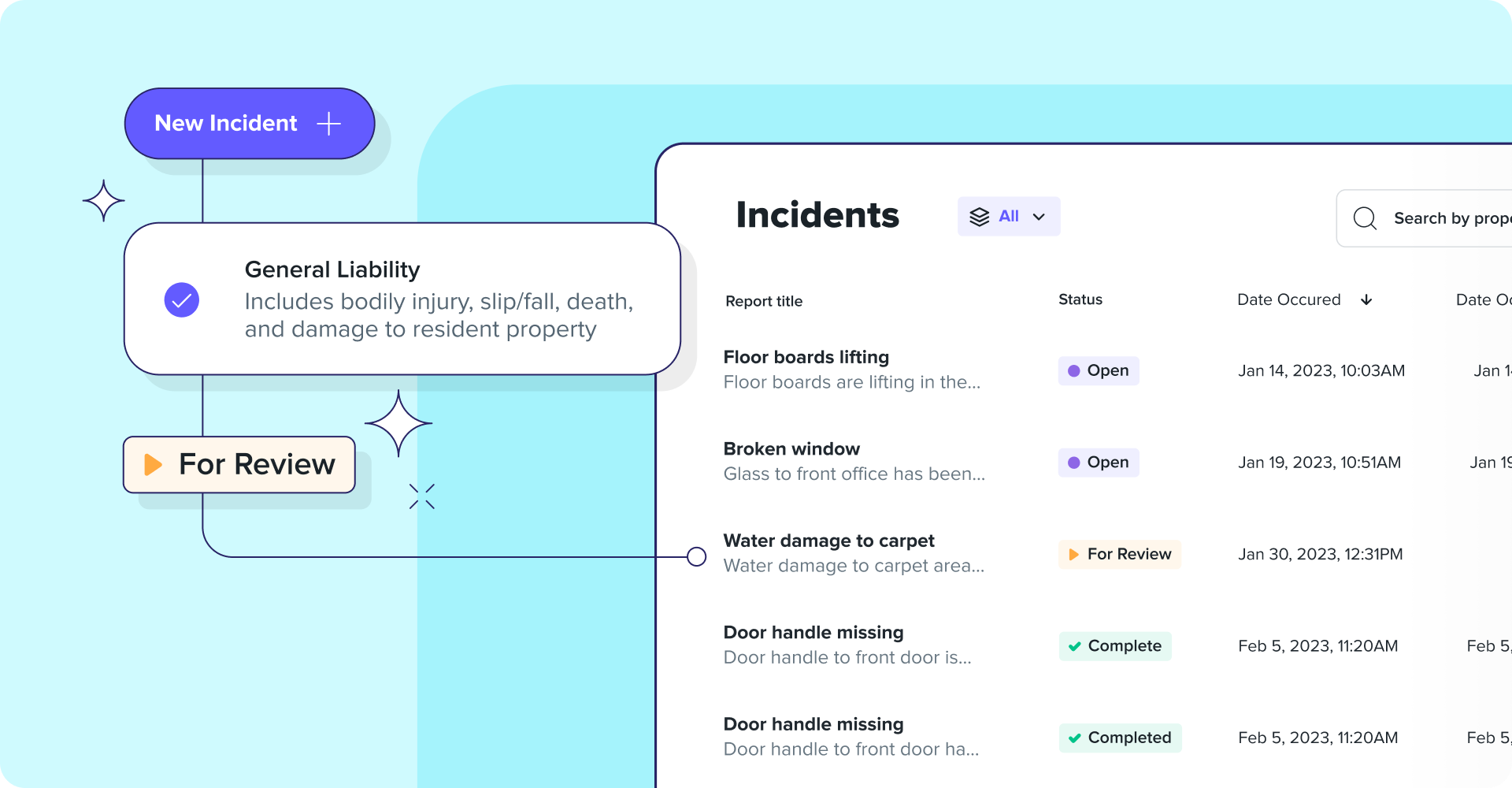
HappyCo documents unit conditions across the resident lifecycle. It covers everything from move-in and move-out to periodic inspections and due diligence walks during an acquisition. Time-stamped photos and digital signatures are attached to each record.
That evidence trail holds up in a deposit dispute and is what an asset manager wants when a property changes hands. More recent development pushes past inspections into the operations around them. Work orders, make-readies, turns, and inventory now run in one centralized system.
HappyCo’s key features
- Maintenance app: Inspections and tasks combined into one iOS and Android app with required photos, comments, project tasks, and offline capture
- Configurable inspection templates: Forms per inspection type with required photo capture and resident signatures on turnover inspections
- Make-ready board: Turn progress tracked centrally, with make-ready projects holding their associated tasks and inspections together
- Live Inspections: A remote inspector joins the session while an onsite operator provides the mobile video feed, photos, and inspection data
- Call Complete: Smart IVR captures and routes missed calls and creates work orders automatically from after-hours resident service calls
- Due Diligence by HappyCo: Acquisition-stage inspections and lease file audits, with SiteVisit alongside it for ongoing property reviews
HappyCo Pros and Cons
Pricing: Per unit per month, quoted, with a 500-unit minimum to get started. Enterprise pricing applies to larger portfolios.
5. Buildium: Best for Small to Mid Portfolios on a Flat Rate
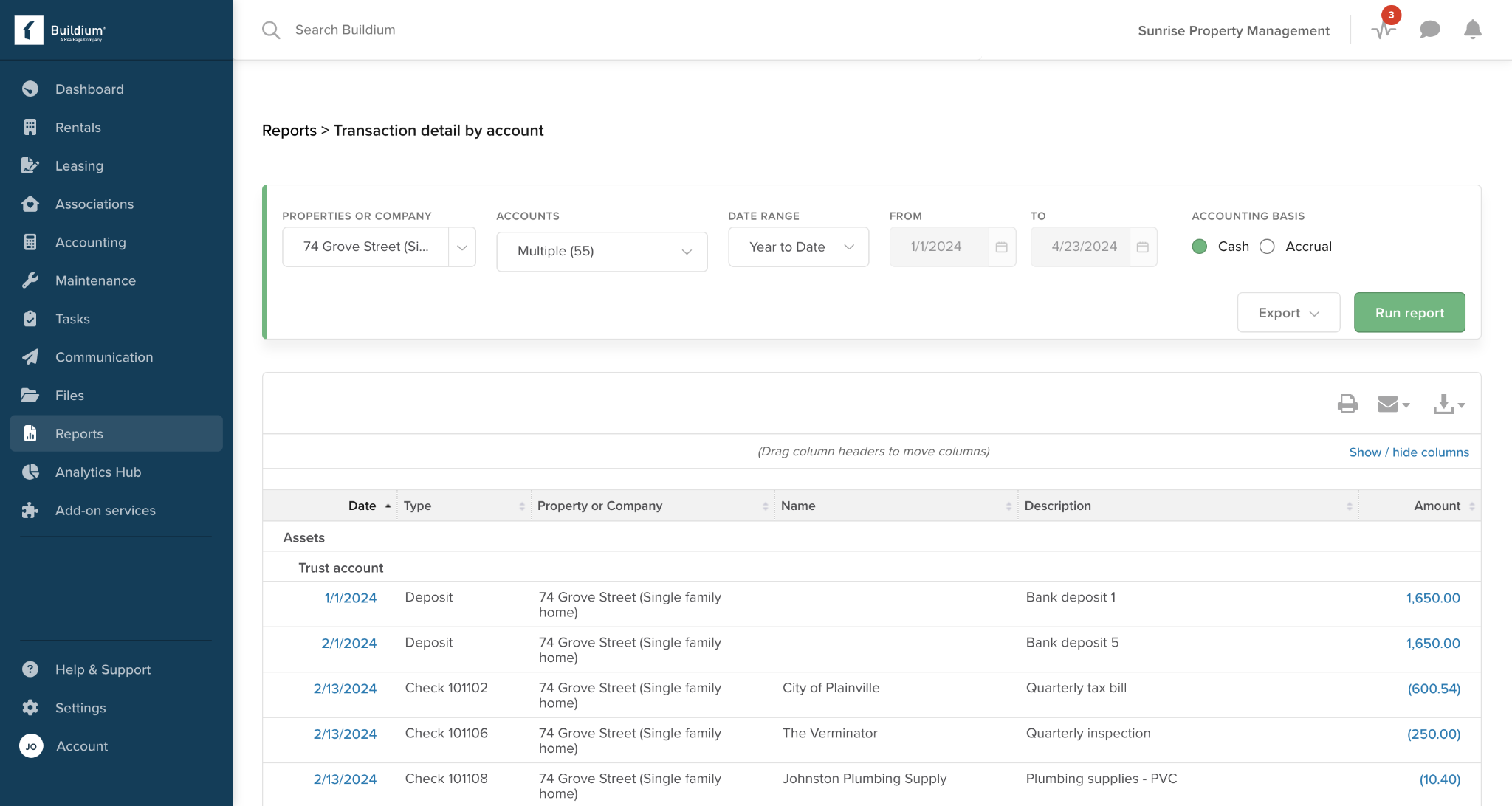
Per-unit pricing punishes exactly the portfolio that is growing fastest. Buildium offers flat monthly tiers, so the bill is predictable. This makes forecasting possible for a firm adding units throughout the year.
The trade-off is that each tier has its own ceiling, so the savings hold until a tier boundary is reached, and the jump is a step, not a slope. The other thing Buildium gets right for a stack-minded buyer is the exit door. Its Marketplace lists the specialist tools it connects to, making it explicit which jobs it expects others to do.
Buildium’s Key features
- Full accounting core: Trust accounting, reconciliation, and owner statements
- Maintenance tracking and task management: Request intake and assignment inside the core platform
- Tenant and owner portals: Payment, communication, and document access
- Hosted property management website: A public-facing marketing site included with the subscription from the entry tier
- Marketplace partners: Listed integrations with Property Meld, Clyr, Inspectr, and other specialist tools, with Buildium remaining the source of truth
Table 6: Buildium Pros and Cons
Pricing: Essential at $62 per month, covering up to 150 units; Growth at $192 per month; and Premium at $400 per month. Free trial available for 14 days.
6. Yardi Breeze: Best for Per-Unit Pricing on Yardi's Accounting Backbone
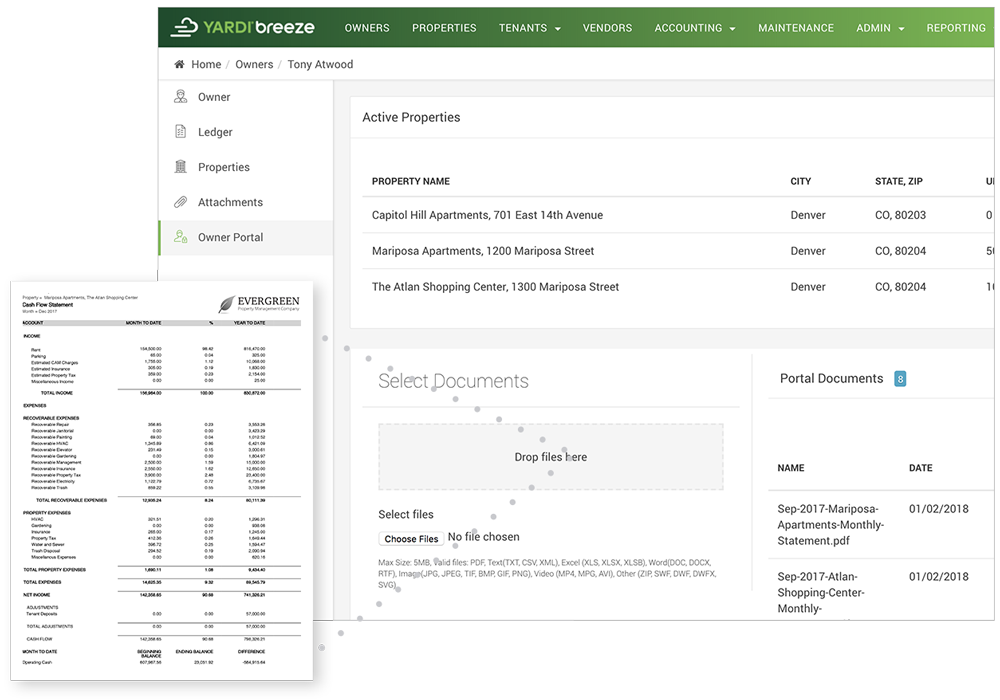
Yardi built its reputation on property accounting, and Breeze puts that backbone behind a per-unit rate. For a portfolio of more than 100 units, the advertised price and the actual bill converge, making Breeze the cheapest serious accounting option on this list.
Below that line, the monthly floor decides the price, and the effective per-unit rate can run several times the headline number. Breeze also splits by property type.
Residential, commercial, affordable housing, associations, self-storage, and manufactured housing each have their own configuration. Meanwhile, the Premier tier holds the specialized compliance work.
Yardi Breeze’s key features
- Escrow and trust accounting: Escrow and trust accounts maintained for all properties, built on Yardi's accounting backbone
- Commercial lease handling: Lease expiration tracking, NNN and gross leases, CAM schedules, percentage rents, and rent escalations
- Online leasing on Premier: Lease execution using state-based lease documents and addenda
- Customizable financial statements: Statement layouts adjusted per owner or entity on the Premier tier
- Specialized housing support: Affordable housing and community association handling on Premier, with compliance workflows attached
- Maintenance tracking: Online request intake, maintenance history, progress notes, and work order completion monitoring
Yardi Breeze Pros and Cons
Pricing: Residential Breeze is $1 per unit per month, with a $100 minimum monthly charge on an annual agreement. Commercial is $2 per unit with a $200 minimum. Breeze Premier starts at $1 per residential unit per month, with a $400 monthly minimum; Affordable Housing is $3 per unit; and Associations are $1 per unit on the same floor. Premier for commercial, self-storage, and manufactured housing is priced on request.
7. DoorLoop: Best for Growing Portfolios Wanting Modern UX
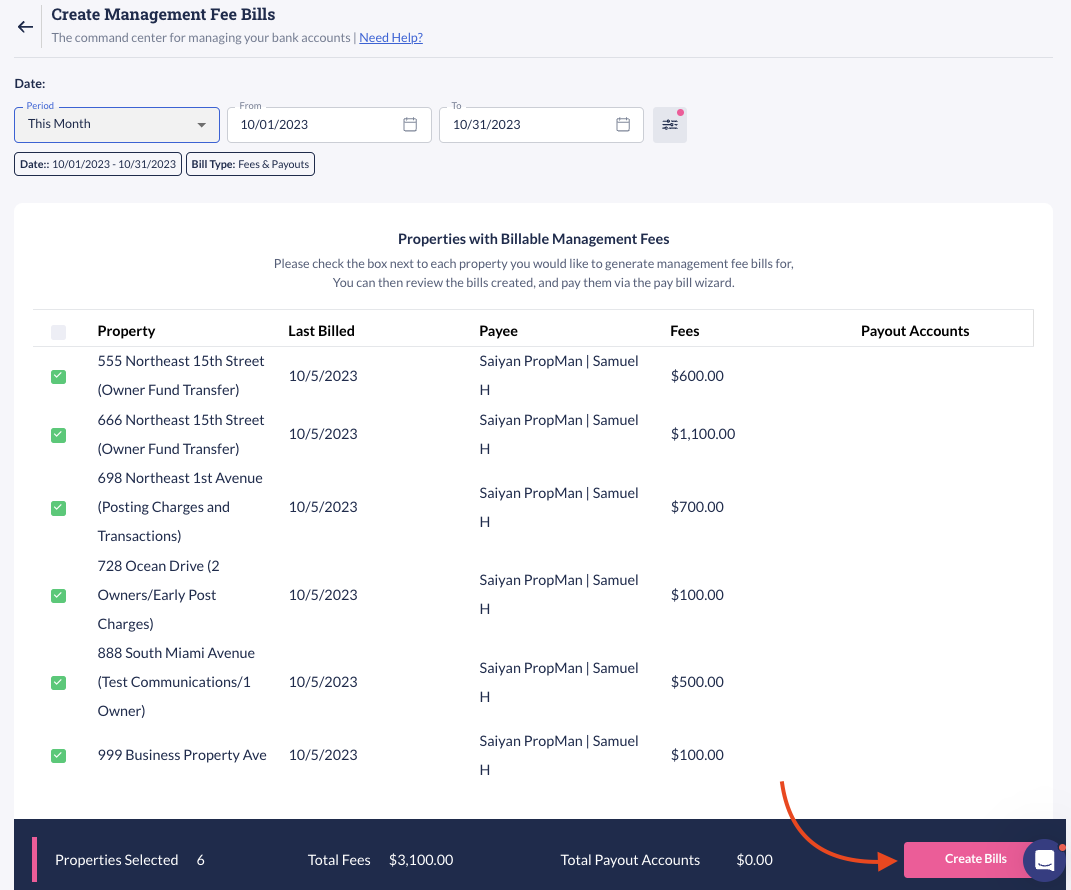
Interface quality is not a vanity metric when a team of four handles data entry. DoorLoop covers the professional footprint, from accounting through leasing through maintenance. Its build assumes no one gets a week of training first, and it scales from a handful of doors to a thousand without a mid-migration.
The subscription moves with you: as active unit count passes a tier, the plan upgrades itself rather than waiting for a renewal conversation. The pricing needs a close read, though. The entry tier is tightly capped, so most professional portfolios start at the next tier up.
DoorLoop’s Key features
- Bank sync and reconciliation: Transactions pulled from bank, debit, or credit accounts, matched and categorized automatically
- Rental applications with eSignature: Applications, document upload, and signing in one flow, priced at $3 per document on Starter, $1 on Pro, and included on Premium
- Tenant screening: TransUnion-powered credit, eviction, criminal, and income reports, with Pro allowing the cost to be passed to applicants
- Work order automation: Requests routed to vendors automatically, with reminders and resident notifications, and an AI assistant that can raise the request itself
- Owner dashboard: A branded portal showing reports, vacancies, balances, and profit and loss in real time
- Automatic unit-count upgrade: The subscription steps up as active units pass each tier, so billing tracks the portfolio without manual changes
DoorLoop Pros and Cons
Pricing: Billed yearly, Starter is $69 per month for up to 10 units, Pro is $149 per month, and Premium is $209 per month.
8. Entrata: Best for Enterprise Multifamily Operations
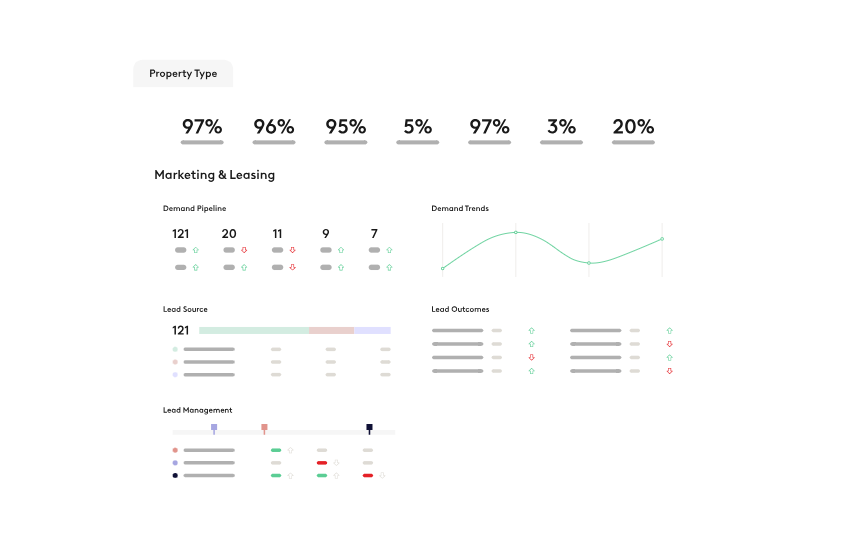
At enterprise scale, the problem stops being about features and becomes about consistency: 40 properties doing move-in 8 different ways. Entrata runs accounting, purchasing, facilities, and leasing as one operating system. It has resident services layered on top, so the workflow is defined centrally and executed consistently across the board.
Student and affordable housing get purpose-built handling, including layered certifications, HAP requests, and TRACS transmissions for affordable housing.
The commercial question comes up in mixed-use portfolios. Entrata Commercial covers office, industrial, retail, and mixed-use assets, with lease mechanics tailored to those asset types.
Entrata’s key features
- Entrata Leasing Suite: Lead management through screening to online signatures, with lease generation
- Facility Management: Work orders, inspections, preventative maintenance, and make-ready, with the Facilities App and InspectionManager
- Resident services: Online rent payment, maintenance requests, insurance, utilities, package tracking, and community events in one resident-facing product
- Entrata Commercial: Lease abstracts, expense pool management, triple-net reconciliations, and commercial rent roll reporting
- Entrata Student and Entrata Affordable: Roommate matching, unit assignments, and move-in checklists on the student side, HUD, LIHTC, layered certifications, and TRACS on the affordable side
- Single sign-on across property types: Multiple property types managed through one system and one login
Table 9: Entrata Pros and Cons
Pricing: Quoted per deal. Entrata directs prospects to a demo rather than publishing rates.
9. MRI Software: Best for Enterprise Commercial and Mixed-Use Portfolios
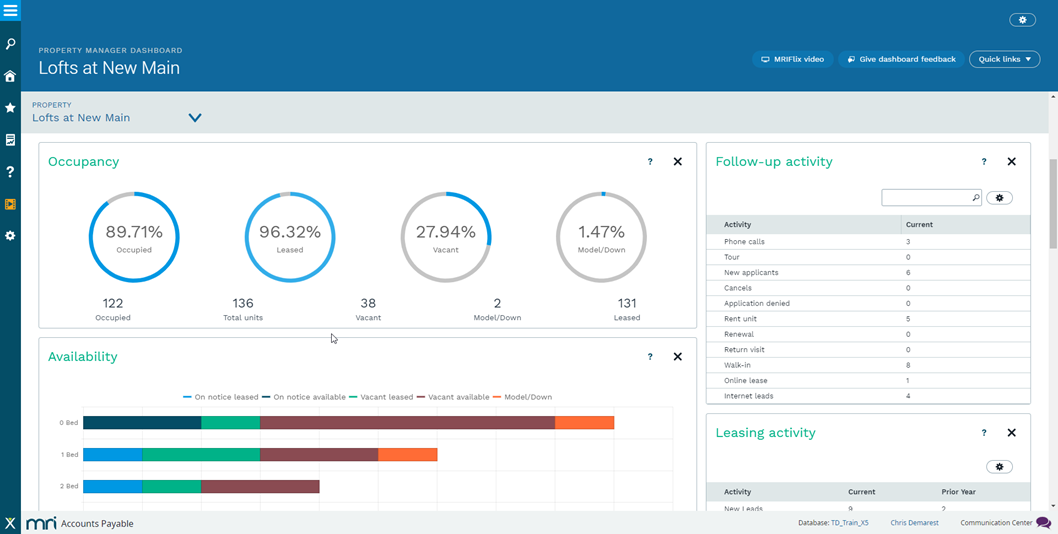
Lease complexity is what pushes an operator past a residential platform. MRI handles commercial lease administration, recoveries, and multi-entity consolidation for institutional portfolios. Its property management product spans residential, office, industrial, retail, and mixed-use, not just commercial.
Its configurability-related benefits are two-fold. The highly configurable workflows, reporting structures, and data models are exactly what an institutional operator needs. It's also what a four-person team cannot resource.
MRI Software’s Key features
- Commercial lease administration: CAM charges, reconciliation, and recoveries handled for complex lease structures, from lease to ledger
- MRI Contract Intelligence: A patented AI and OCR engine that abstracts key dates, dollars, clauses, and critical terms from lease documents
- Multi-entity consolidation: Financials consolidated across multiple properties and funds, with automated consolidations, distributions, and reporting
- Partner Connect: An open ecosystem of solution partners, with built-in tools and APIs for the connections that are not off the shelf
- Configurable reporting and data models: Reports, workflows, and structures adjusted to institutional requirements rather than a fixed template
MRI Software Pros and Cons
Pricing: MRI publishes pricing for Property Tree, from $130 per month ex GST per 100 properties, with Premium and Pro AI tiers quoted. Its enterprise property management and commercial suite is quoted per deal.
10. SmartRent: Best for Access Control and In-Unit Smart Devices
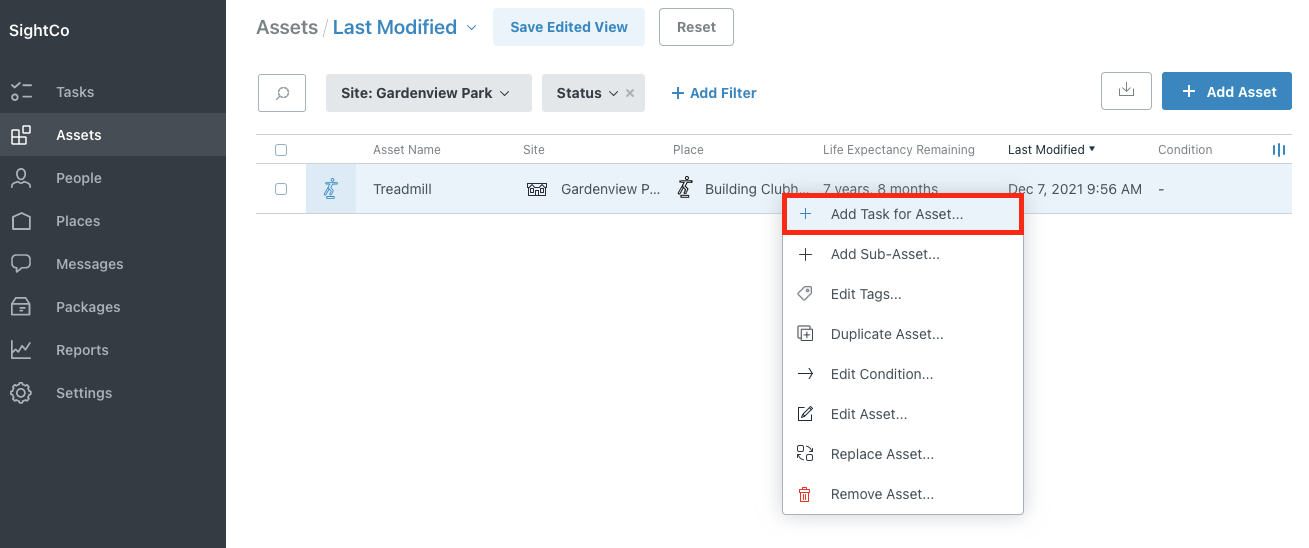
SmartRent manages physical access and connected in-unit hardware across multifamily communities. It covers common-area entry, smart locks, thermostats, lighting, and the self-guided tour infrastructure that lets a prospect walk a unit without an agent present.
Move-in issues credentials and move-out revokes them, so the turn stops involving a locksmith. Because it is hardware, the buying process differs from the others on this list. A site survey comes before a quote, and installation across an occupied property is a scheduled project.
SmartRent’s key features
- Access Control: Mobile, PIN, card, or fob credentials, with elevator control and video intercoms for common areas
- Smart Apartments: Smart locks, Z-Wave hubs, thermostats, lighting controls, and smart plugs connected to a single dashboard
- Self-Guided Tours: Prospect touring without an app download or onsite staff, with automated ID verification, geofencing, and access codes
- Credential automation: Access issued at move-in and revoked at move-out, removing rekeying between residents
- Energy Management: Real-time energy insight from HVAC, with an Energy Dashboard that compares runtime against local weather to surface outliers
- Vacant unit control: Energy-efficient thermostat schedules applied to unoccupied units and adjusted remotely
- PMS and CRM integrations: Connections to Entrata, RealPage, ResMan, Yardi, Funnel, and other platforms
SmartRent Pros and Cons
Pricing: Quoted per community. SmartRent runs an on-site survey to recommend hardware and produce an itemized proposal.
Did You Know? Preventive maintenance scheduling needs input data to work as intended. A calendar interval tells you a filter is due in March. Equipment data tells you which units experienced the same fault three times last quarter, which turns a generic schedule into a targeted one.
How to Build Your Stack Without Overbuying
Ten tools do not mean ten subscriptions. Most portfolios need three or four. Decide what you need by following the four steps below.
1. Start with the core system of record, then map the gaps: List the nine jobs and mark which ones your current platform handles to a standard your team accepts without workarounds. The unmarked jobs on your candidate list are usually fewer than a vendor demo suggests.
2. Count the jobs currently living in spreadsheets: Each spreadsheet represents either a tool you have yet to buy or a process you have deliberately chosen to run manually. Naming what is what prevents a shadow system from becoming permanent, because one person maintains it well.
3. Price the stack across three years: Add license fees, per-unit charges, monthly minimums, payment processing, implementation, and training. Two costs surprise buyers most often: card processing fees on rent collection, which scale with portfolio revenue rather than unit count, and monthly minimums, which set an effective per-unit rate well above the advertised rate until a portfolio clears the floor.
Quick Shortlist by Portfolio Type
If you would rather skip the exercise and start from a shape that resembles yours, here is the short version: the condition that makes each tool worth buying.
- Choose AppFolio if you run a professionally managed residential portfolio above 50 units and want AI-assisted workflows in the core platform.
- Choose SmartHQ™ Management if your properties run connected GE Appliances and you want equipment faults and leaks reaching your team as assigned tasks before residents report them.
- Choose Property Meld if maintenance ticket volume justifies a dedicated coordination layer alongside your core platform.
- Choose HappyCo if you clear 500 units and inspection documentation or make-ready turn time is the bottleneck.
- Choose Buildium if you want flat monthly pricing and your portfolio fits the tier you are buying.
- Choose Yardi Breeze if your portfolio clears 100 units and accounting depth outweighs interface polish.
- Choose DoorLoop if you manage anywhere from 10 to 1,000 units and interface quality and support responsiveness rank highest.
- Choose Entrata if you operate enterprise multifamily at scale, including student or affordable housing, and want standardized workflows across many properties.
- Choose MRI Software if commercial lease complexity and multi-entity reporting drive the requirement.
- Choose SmartRent if rekeying costs and common-area access management are operational drags worth a hardware project.
Getting Your Property Management Stack Right
A stack too thin leaves jobs in spreadsheets, where they run on one person's memory and fail when that person is unreachable. On the other hand, a stack that's too wide leaves licenses unused and data split across systems that reconcile poorly. It produces the same monthly export work the software was bought to eliminate.
Perform this short exercise: list the nine jobs, mark what your current platform covers, price the gaps across three years, and confirm each integration before signing anything.
See it across your portfolio. Book a walkthrough of appliance diagnostics, leak alerting, and task assignment on your own property structure. Request a Demo
Check your building first. Run the IT qualification checklist to confirm your network supports appliance commissioning before you budget. View SmartHQ™ Management
Size your subscription. Ask a specialist how many packs your door count requires and which appliances in your buildings qualify. Talk to a Specialist
Still managing your entire appliance fleet without real-time visibility?
- Real-time monitoring and precision diagnostics across your portfolio
- Remote controls and batch commands without room-by-room visits
Portfolio-wide
appliance visibility
Real-time
monitoring & control