.png)

This guide will help you quickly set up your SmartHQTM Service Bundle Pack, allowing you, as a business owner or manager to manage your technicians, assign and allocate licenses efficiently. Follow these simple steps to get started.
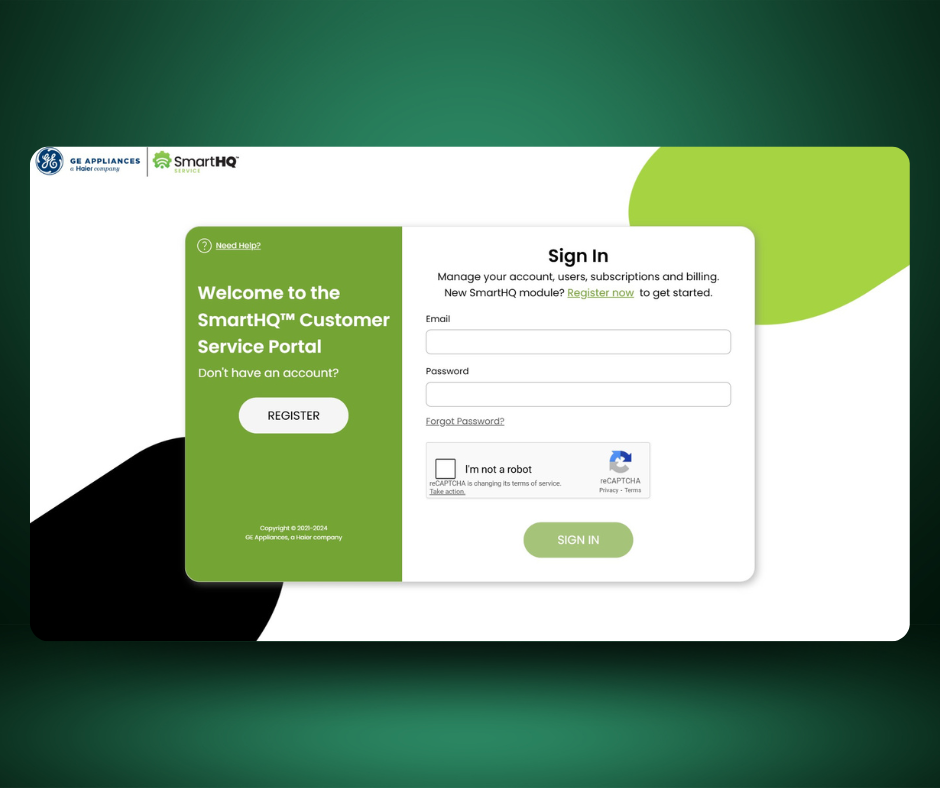
Visit the SmartHQ Service™ Customer Portal at https://service.dashboard.smarthqpro.com/signin to register your account.
.svg)
Go to the SmartHQ Service Customer Portal to register a new account.
If you already have an account, simply sign
IMPORTANT: Account registration must be completed by the account owner, before technicians can download and sign into the SmartHQ Service app
Look for a verification email to confirm your account

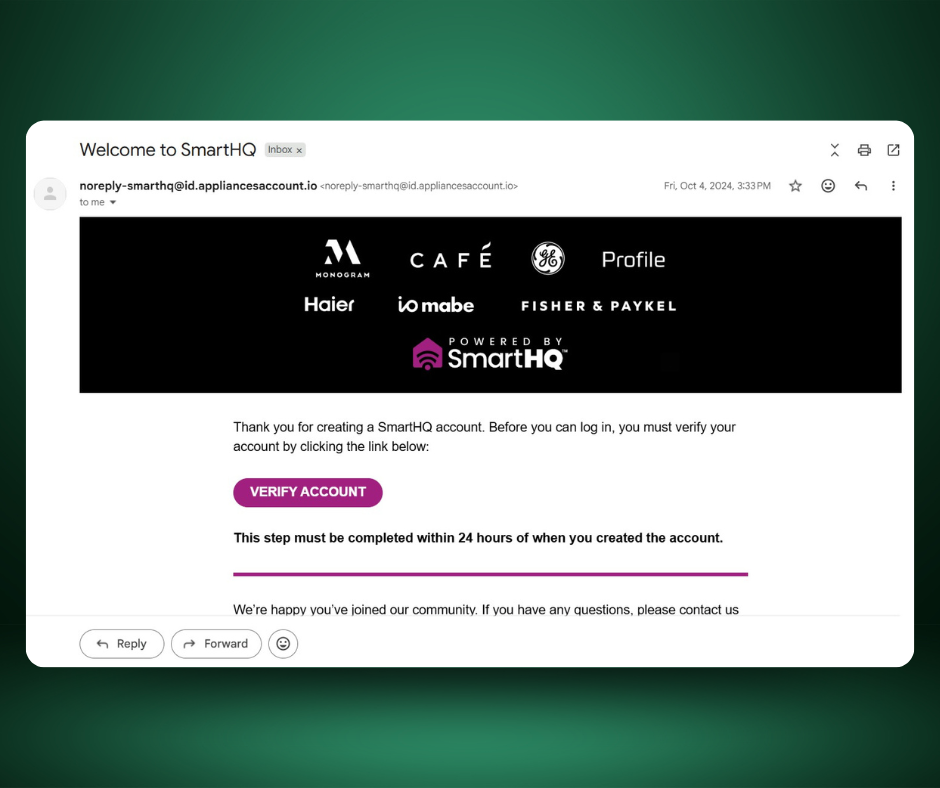
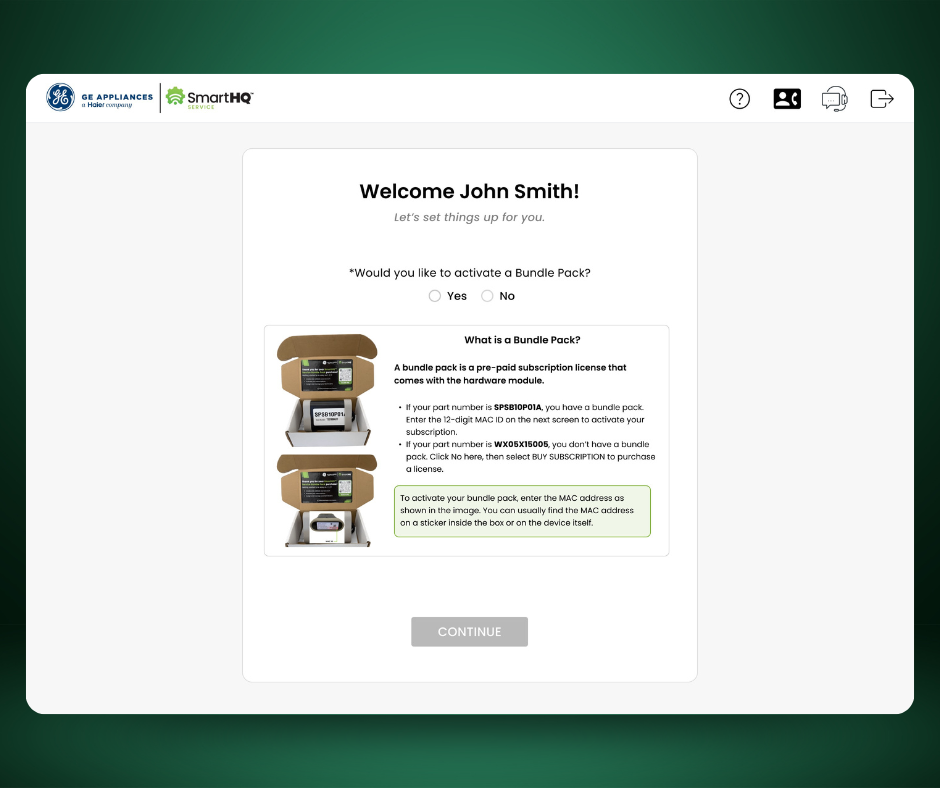
New Customers will be prompted to activate a Bundle Pack
Click “Yes” and select the number of modules you have
Enter the MAC ID found on the Bluetooth module
Returning customers can activate BundlePacks directly from the Manage Purchases section of the SmartHQ Service Customer Portal
Available licenses can be found in the My Purchases section of the Customer Portal
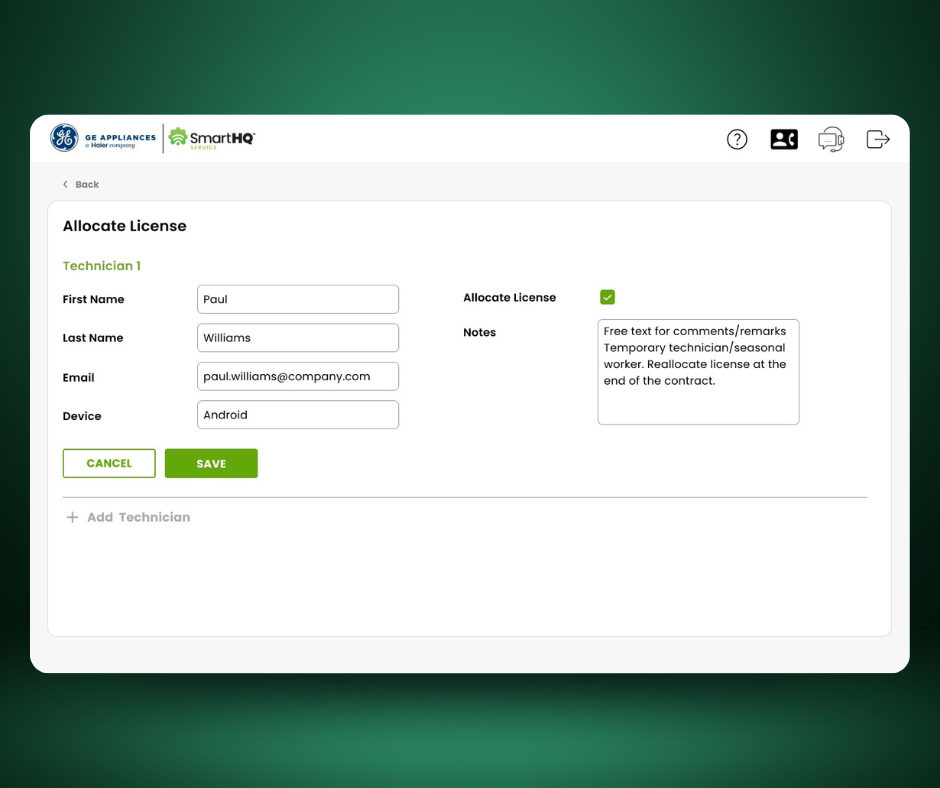
Click Allocate Licenses and enter the technician’s information
Add optional notes in the “Remarks” field, such as "temporary technician"or "seasonal worker
Be sure to select the correct device type (Android/iOS), and click SAVE
Once the license has been assigned, the intended technician will receive an email fromSmartHQ Management with detailed instructions on how to Setup SmartHQ Service on their mobile device
Navigate to your devices app store and search for SmartHQ™ Service.
All-in-one kit for faster, smarter appliance diagnostics. The Bundle Pack includes the SmartHQ™ Bluetooth Module and a 6-month subscription, giving technicians instant access to real-time diagnostics, firmware updates, and parts ordering. One purchase sets you up to diagnose, repair, and close calls with confidence.
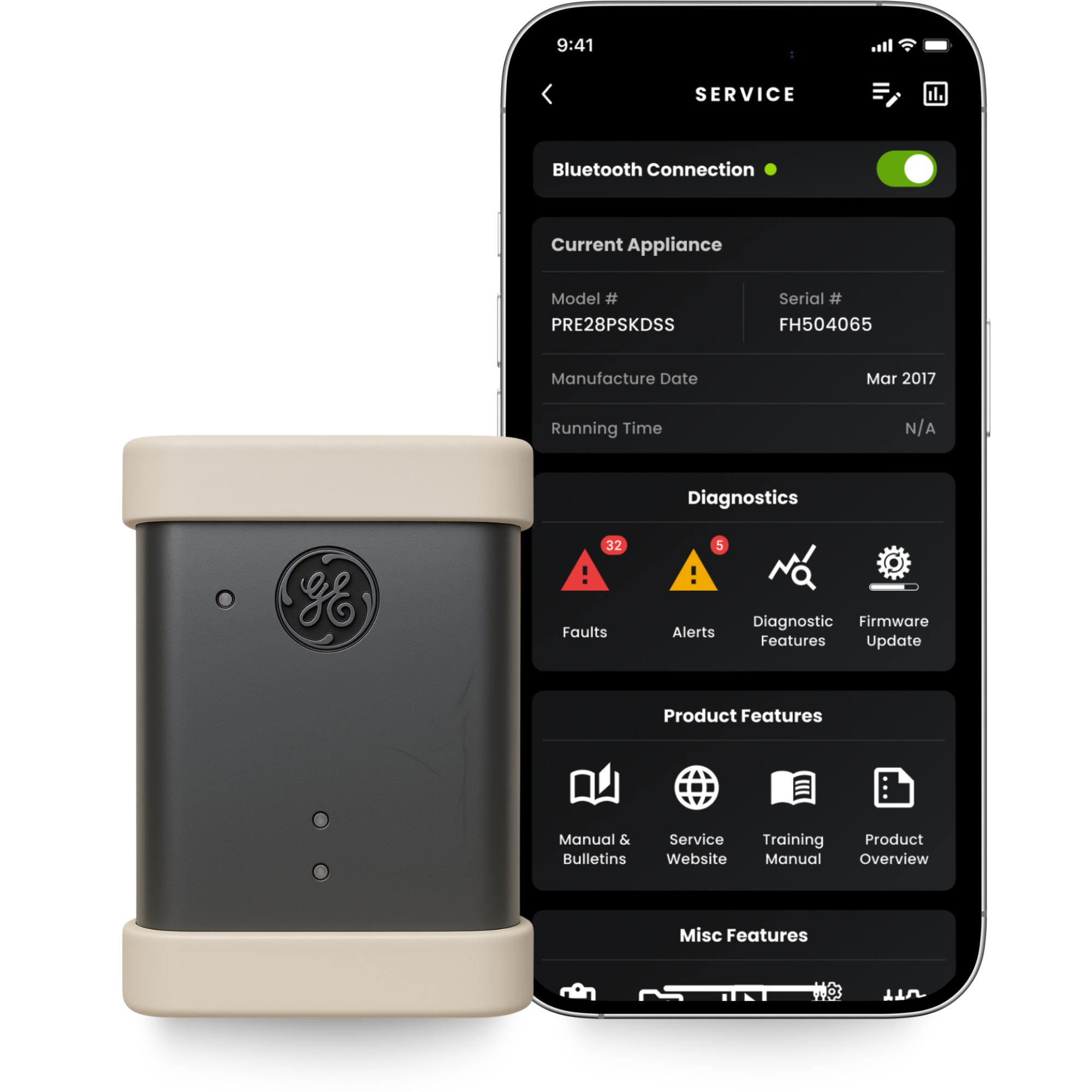

Run real-time fault detection, component tests, and appliance cycle reviews directly from your mobile device.

Update appliance software in seconds to resolve issues and improve performance on-site.

Access service manuals, wiring diagrams, and maintenance histories anytime, even in the field.

Identify, view, and order the correct GE parts using exploded diagrams and model-specific details.

Store diagnostic sessions, notes, and photos in the cloud for future reference and team visibility.

Send diagnostic results or session data to teammates or support staff for quick collaboration and verification
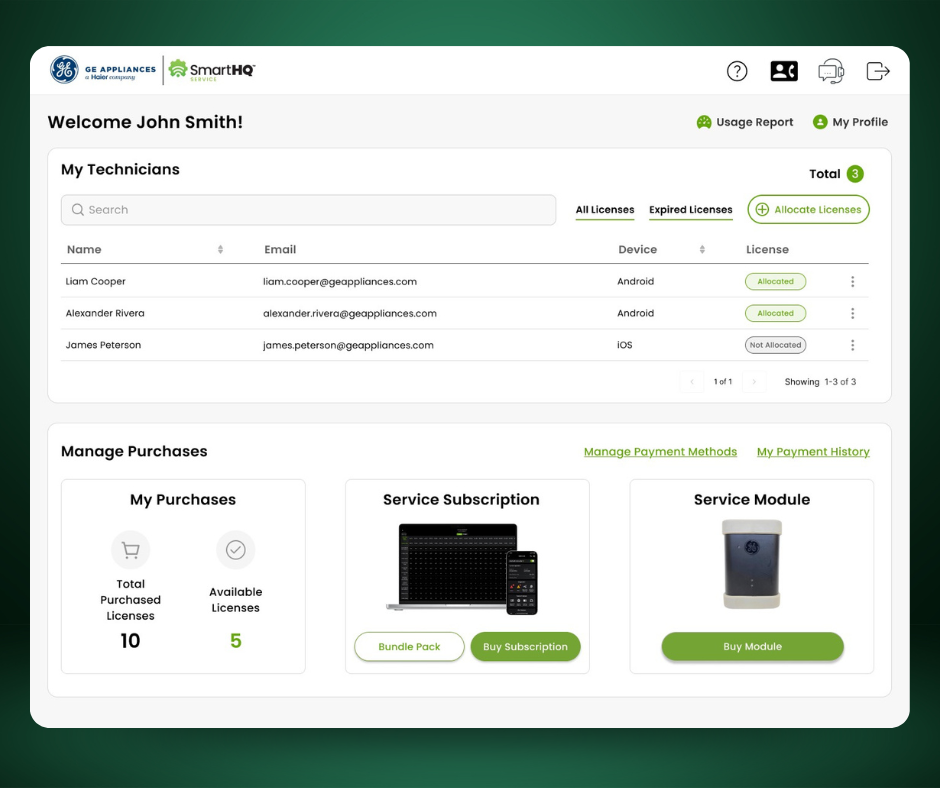
The Customer Portal is your command center for SmartHQ™ Service. It brings every aspect of account management into one clean, efficient interface. From setup to renewals, it keeps your operations organized, fast, and hassle-free.

Add technicians, assign or revoke licenses, and manage device access from a single dashboard

Purchase new modules, renew subscriptions, and handle billing directly through the portal

View technician usage data, session counts, and firmware updates to measure team efficiency and identify training needs
Send us an email at the address below and we will be happy to assist you with your issues.


