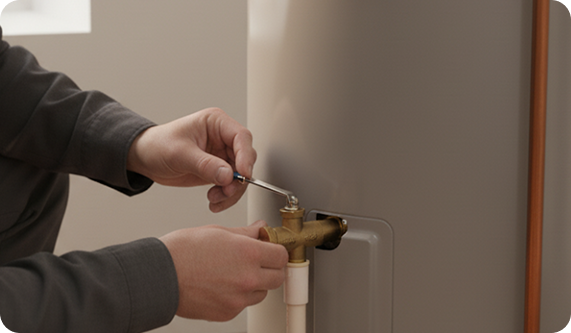
Why Use a Leak Sensor

  • Prevent damage: Detect leaks before they spread.
  • Stay in control: Get real-time alerts through the SmartHQ™ App.
  • Peace of mind: Optional shut-off valve stops water flow automatically.

What You’ll Need

  • Your water heater (SmartHQ-compatible).
  • Leak Detect Sensor (included or purchased separately).
  • Optional Smart Water Shut-Off Valve.
  • A smartphone with the SmartHQ™ App.

Getting Started with Your Leak Sensor

How to Replace the Battery:

1

Prepare Each Sensor

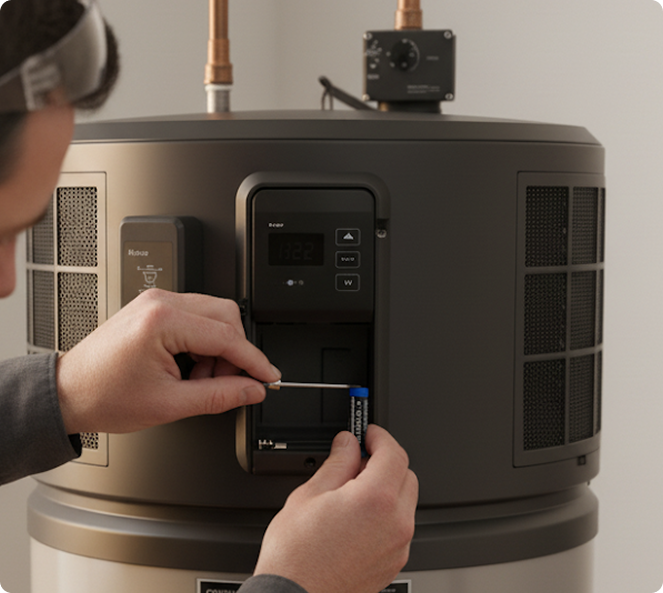
  • Hold the sensor with the label facing up.
  • Pinch the battery pull tab near the cover and pull it out sideways, parallel to the cover.
  • Discard the pull tab. The sensor is now powered and ready.
2

Place the Sensor

  • In a catch pan: Stand the sensor vertically against the heater.
  • On the floor: Lay it flat where water would naturally drain.
  • Important: Do not place sensor contacts directly on bare metal pans. This can trigger false alerts.
3

Pair the Sensor with the Water Heater

  • Press the sensor button until the light blinks.
  • Press the Accessory button on the water heater until its light blinks.
  • When both lights blink quickly, then turn solid, pairing is complete.
  • The sensor light shuts off automatically to save battery.
4

Install and Sign in to SmartHQ™

  • Download the SmartHQ™ app from the App Store or Google Play.
  • Open the app and sign in or create a new account.
  • Have your 2.4 GHz Wi-Fi name and password ready.
5

Connect Your Sensor in SmartHQ™

  • Open the app and tap the “+” in the top right corner.
  • Select GE as the brand.
  • Your water heater should appear at the top. Tap Connect and follow the app instructions.
  • For clarity, give each sensor a custom name and confirm it is placed in the correct location before moving to the next sensor.

How Leak Detection Works

  • Leak detected → Display shows H2O, alarm sounds, and app notification is sent.
  • With shut-off valve → Water supply stops automatically; display toggles between Off and H2O.
  • To reset → Dry the sensor, then water flow resumes when safe.

Troubleshooting

  • F78: Leak Sensor detected water → Fix the source, dry the sensor, and reset valve if equipped.
  • F81: Leak Sensor battery low → Replace with a new battery.
  • False alerts: Check placement (avoid bare metal, condensation).

1‑Year Limited Warranty

GE Appliances warrants the Leak Detect Sensor and Gateway against defects in materials and workmanship for one (1) year from the date of original purchase. If a defect arises during the warranty period under normal, intended use, GE Appliances will, at its option, replace the unit with a new or remanufactured unit.

Exclusions:

Damage from misuse, alteration, improper installation, accidents, acts of God, or service/parts not authorized by GE Appliances.

Limitations:

GE Appliances is not responsible for consequential or incidental damages. Some states do not allow limitations on implied warranties, so these limitations may not apply.

Service:

To obtain warranty service, call 800‑220‑6899. Proof of purchase may be required.

Want More Leak Sensors?
  • 1-Pack: Add a single sensor for targeted protection.
  • 3-Pack: Cover multiple locations around your water heater or home.
Shop sensors at
GEApplianceparts.com